Key Takeaways
- Most small offices are well served by 200–500 Mbps, depending on what staff actually do.
- A rough starting point is 15–25 Mbps per employee for normal office work.
- A video call uses roughly 3–4 Mbps. A 4K stream uses roughly 25 Mbps.
- Upload speed causes most complaints, and it is rarely advertised prominently.
- Cloud phone systems need very little bandwidth but need it consistently.
- Businesses routinely overbuy speed and underbuy reliability.
- The connection is often not the problem — the network inside the building frequently is.
- Sizing a connection properly means looking at applications, not headcount alone.
Start with what your staff are doing
Headcount alone is a poor guide. Ten people writing documents and ten people editing video have almost nothing in common as network users.
Approximate consumption per activity:
- Email, browsing, cloud documents: 1–3 Mbps per person
- Video conferencing: 3–4 Mbps per participant
- Cloud phone call: under 0.1 Mbps per call
- Large file uploads to cloud storage: as much as you give it
- 4K video stream: roughly 25 Mbps
- Security camera uploading continuously: 2–5 Mbps per camera
- Off-site backup: as much as you give it, usually overnight
Add up realistic peak simultaneous use, then add headroom. For most offices that lands between 200 and 500 Mbps.
A rough sizing guide
- 1–5 staff, standard office work: 100–200 Mbps
- 5–20 staff with regular video calls: 300–500 Mbps
- 20–50 staff, cloud-heavy: 500 Mbps to 1 Gbps
- Any size with cameras and off-site backup: add capacity for upload specifically
- Any business where an outage stops revenue: prioritise a guaranteed connection over a faster one
Upload is the number that catches people out
Most plans lead with download speed. Business use leans on upload far more than home use does.
Every video call sends your camera feed out. Every file saved to cloud storage goes up. Every security camera streams out continuously. Every VoIP call carries your voice outward. Cloud backup runs entirely upward.
A plan advertised at 500 Mbps down and 20 Mbps up will feel quick when someone downloads a file and will struggle when eight people are on video calls while backups run. Symmetrical connections remove that problem, and they are one of the clearest reasons business plans cost more than consumer ones.
Speed is not the same as reliability
A business can have plenty of bandwidth and still have a bad connection.
Consistency is whether you get the same speed at 2pm as at 2am. Shared connections slow when the neighbourhood is busy.
Latency is delay, and it is what makes video calls feel awkward. It is independent of speed.
Uptime is whether it works at all. A 1 Gbps connection that drops for four hours is worse for most businesses than a reliable 200 Mbps one.
Support response is how quickly a fault gets fixed, and whether somebody chases the carrier on your behalf or leaves you to it.
If you can only improve one thing, improving reliability usually helps more than doubling speed.
When the problem is not the internet
Businesses frequently upgrade their plan and notice no difference, because the bottleneck was inside the building.
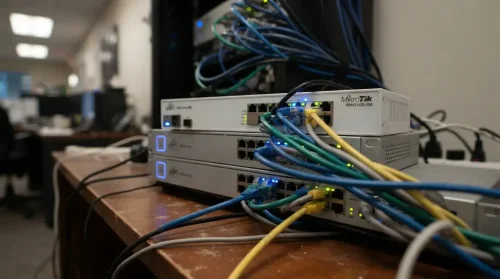
Business networks often evolve through years of additions, temporary fixes and mismatched equipment. The result is unreliable Wi-Fi, poor call quality, recurring bottlenecks and problems that are difficult to diagnose — none of which a faster circuit will solve.
The usual culprits:
- The router. Consumer-grade routers struggle with many simultaneous connections regardless of the plan behind them.
- Wi-Fi. Real-world throughput is far below the advertised maximum, and drops with distance, walls and interference.
- Cabling and switches. Older Ethernet cable and 100 Mbps switch ports cap traffic well below plan speed.
- The device. Older laptops often cannot exceed a few hundred Mbps.
- One access point rarely covers an office properly.
Before buying more bandwidth, run a speed test from a computer plugged directly into the router. If that result is close to your plan, the connection is fine and the network inside the building is what needs attention.
Having visibility of both sides also makes it possible to tell an internal network problem from an internet-provider issue — which reduces finger-pointing and gets problems resolved considerably faster.
Frequently Asked Questions
How many Mbps does a small business need?
Most small offices are comfortable between 200 and 500 Mbps. As a starting point, allow 15–25 Mbps per employee for standard office work, then add capacity for video calls, security cameras and cloud backup. Businesses with heavy file transfer or many simultaneous video calls need more.
Is 100 Mbps enough for a small business?
For a handful of staff doing email, browsing and cloud documents, usually yes. It becomes tight once several people are on video calls at once, or if you run security cameras or off-site backup. The upload speed on a 100 Mbps plan is more often the limitation than the download.
Why is my business internet slow when the plan is fast?
Most often the bottleneck is inside the building rather than the connection. Consumer routers, Wi-Fi coverage, old cabling and 100 Mbps switch ports all cap speed regardless of the plan. Test from a computer wired directly to the router — if that is fast, the network needs attention, not the plan.
Do I need symmetrical internet for my business?
If you run video calls, cloud backup, security cameras or a cloud phone system, symmetrical upload makes a noticeable difference. If staff mostly browse and download, it matters less. Check the upload figure on any quote — it is frequently a small fraction of the advertised download speed.
About the Author
This article is brought to you by DakotaPro, a locally owned internet and technology provider serving Tucson and Southern Arizona since 1999.
Talk to a local engineer about sizing your connection — dakotapro.biz or (520) 745-3900.